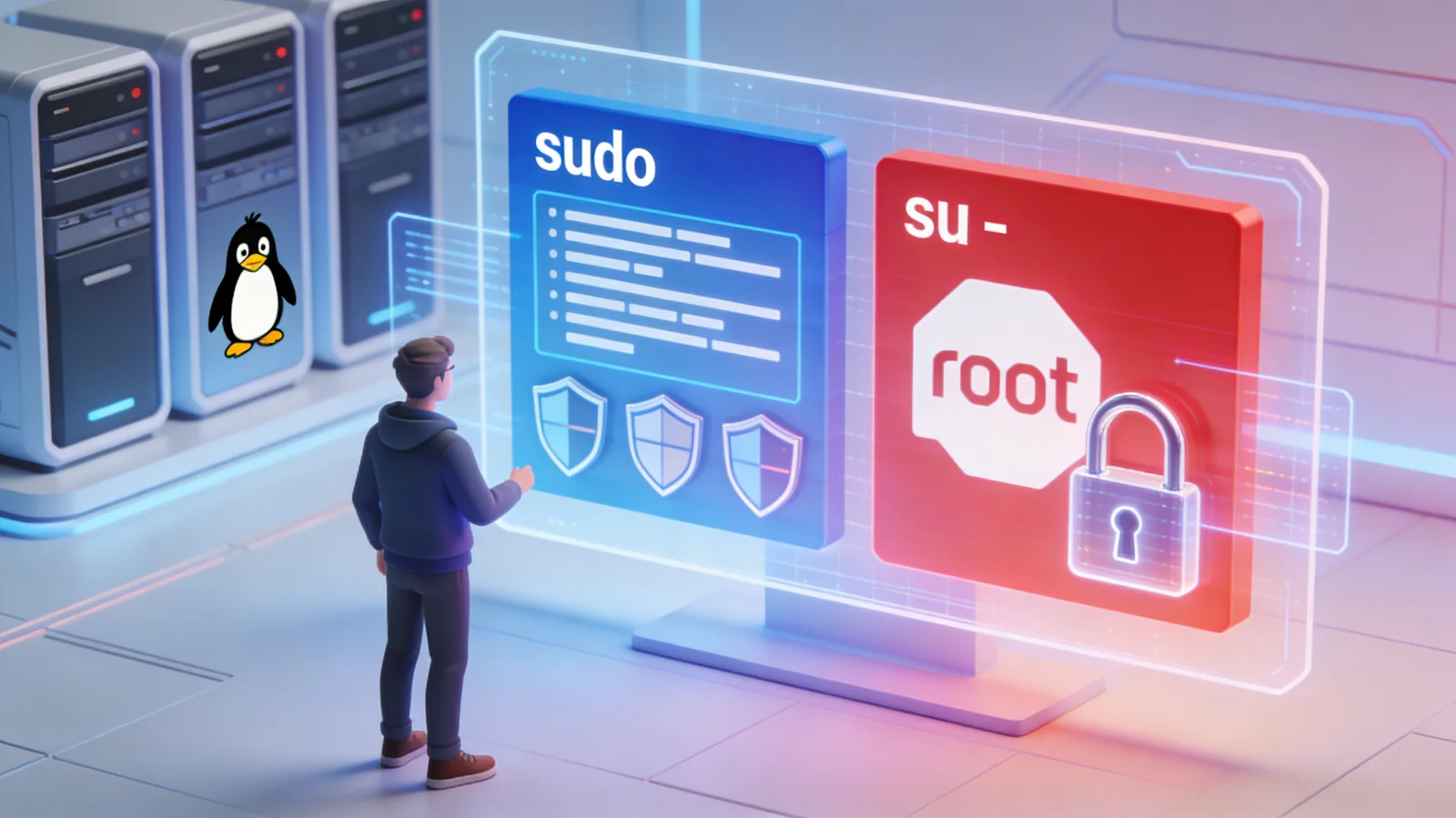
🛡️ sudo vs su :
Complete Guide to Linux Privilege Elevation 2026
1980s ────► `sudo` introduced and evolves
2004 ────► Ubuntu disables root by default
2024+ ────► `run0` arrives with systemd
2025 ────► sudo CVEs (32462, 32463)
2026 ────► SafeITExperts complete guide
Linux Administration Series 2026
By SafeITExperts
This article explores in depth the two fundamental Linux privilege elevation commands: sudo and su. We analyze their history, conceptual differences, common pitfalls, security aspects, and modern alternatives.
💡 Objective: Provide complete understanding ofsudoandsuto make informed choices according to your usage context (personal, professional, shared).
📚 1) Introduction & History
You open a terminal to install a package, modify a file in /etc, or restart a system service. Two reflexes emerge: type sudo … or switch to root with su -. Both end up executing commands with root privileges, but not in the same framework.
1.1 A very brief history
| Year | Key event | Main idea |
|---|---|---|
| 1971 | su appears in early Unix versions
|
Switch user if I know their password |
| 1980s | sudo is introduced and evolves
|
Stop sharing root password, delegate commands instead |
| 2004 | Ubuntu disables root by default | sudo becomes the standard for "general public" administration
|
| 2024+ | run0 arrives with recent systemd versions
|
Modern alternative based on systemd + Polkit |
What's important:
su= old model: "I become root if I have his key"sudo= modern model: "I request to do X, check if I have permission, and it's logged"run0= new approach: systemd + Polkit, without dedicated SUID binary
📊 2) su vs sudo: the basics
We can summarize su - and sudo with a simple analogy:
You take the director's key and enter his office. As long as you haven't left, you are him.
- Secret: root password, often shared
- Duration: Persistent root session until
exit - Audit: Vague log: "root did X"
You stay at your desk, send a "restart nginx" request, it's executed for you and recorded.
- Secret: user password, unique and personal
- Duration: By default: command by command
- Audit: Precise log: "user executed X via sudo at such time"
2.2 Technical comparison table
| Criterion | su - (Switch User, login root)
|
sudo (SuperUser DO)
|
|---|---|---|
| Action | Opens a complete root session | Executes a command (or shell) with root privileges |
| Authentication | root password | User password (or other SSO mechanism) |
| Duration | As long as session isn't closed (exit)
|
In principle limited to the command, or configurable duration |
| Granularity | All or nothing (total root) | Fine-grained via /etc/sudoers (per command, group, host…)
|
| Audit | Less precise (root) | Very precise (who, what, when) |
| Environment | HOME=/root, root PATH (login shell) | Partially preserves user environment (HOME, etc.) |
Conclusion of this section:su - and sudo both give access to root power. What changes: how you access it, how long you stay, and what's recorded.
⚠️ 3) Demos & common pitfalls
3.1 Who am I? Where am I? Which PATH?
For better understanding, nothing beats some simple tests:
echo "HOME=$HOME"
echo "PATH=$PATH"
Then compare with these three commands:
echo "USER=$(whoami)"
echo "HOME=$HOME"
echo "PATH=$PATH"
exit
echo "USER=$(whoami)"
echo "HOME=$HOME"
echo "PATH=$PATH"
exit
echo "USER=$(whoami)"
echo "HOME=$HOME"
echo "PATH=$PATH"
exit
✅ What you should see:
su -andsudo -igive a "clean" root environment (HOME=/root, system PATH)su(without-) may keep user HOME/PATH: if a malicious binary or script hides in~/bin, you might execute it as root unintentionally
3.2 Pitfall 1: redirections with sudo
# -> Permission denied
Why? Because the shell interprets >before sudo. It's your user trying to write to /etc, not sudo.
✅ Correct solutions:
sudo sh -c 'echo "DNS=8.8.8.8" > /etc/resolv.conf'
su -c 'echo "DNS=8.8.8.8" > /etc/resolv.conf'
Note: In the command su -c "<command>", the -c means "command" and must be followed by the command to execute in quotes.
3.3 Pitfall 2: graphical applications with sudo
sudo kate /etc/myfile.conf
May create/modify files in ~/.config or other HOME directories with root as owner → your user session may then not work properly.
✅ Good reflex:
- For text files:
sudoedit /etc/myfile.conf - For GUI: use tools based on Polkit (ex. authentication dialogs of graphical environments)
3.4 Pitfall 3 (optional but real): sudo "slow"
If sudo takes 2–10 s to respond, it's generally not a sudo bug, but:
- reverse DNS / network resolution slow (check
/etc/hosts,/etc/resolv.conf) - LDAP/AD/PAM integration misconfigured
- sudoers rules with
Defaults timestamp_timeouttoo short or problematic cache mechanism
time sudo -v
# and check /var/log/auth.log
👉 It's an environment symptom, not a conceptual sudo defect.
🔄 4) Variants & usage
su side variants
su
|
Switches user, keeps much environment |
su - / su -l
|
Complete login shell as root |
su -c "<command>"
|
Executes the <command> then returns
|
⚠️ For system administration, if you use su, use su -, not su alone.
sudo side variants
sudo <command>
|
Executes a command as root |
sudo -i
|
Root login shell (su - under sudo control)
|
sudo -s
|
Root shell but keeps more environment |
sudo -E <command>
|
Preserves environment (LANG, etc.) |
sudoedit file
|
Edits a file with secure mechanism |
sudo -n <command>
|
Non-interactive mode (fails if password required) |
sudo su: the bad reflex
sudo -i # ✅ Clear, traceable, same result
The only reason to use sudo su would be if you need to switch to a non-root user after becoming root, which is a very rare case.
4.3 Table "what to use when"
| Situation | Recommendation | Why? |
|---|---|---|
| Single admin command | sudo <command>
|
Least privilege, simple, auditable |
| System update | sudo apt update (example)
|
Multi-distribution standard |
| Series of admin actions | sudo -i then exit
|
Clean root shell + sudo logs |
sudo broken/unavailable
|
su -
|
Plan B, requires root password |
| Automated script | sudo -n <command>
|
No interactive blocking |
Modify a file in /etc
|
sudoedit file
|
Less risk than GUI editor as root |
🐧 5) By distribution
The tools are the same, but the default policy changes.
Policy: root locked, sudo preconfigured
Effect: Admin via sudo. su - requires first setting a root password.
Policy: Choice at installation
Effect: If root has password → su - available; otherwise → Ubuntu-like model (sudo-only).
Policy: sudo encouraged, su still possible
Effect: "sudo-first" model for audit.
Policy: sudo/doas not imposed
Effect: Admin chooses and configures their model.
ℹ️ Remember: it's not Linux that imposes su or sudo, but the distribution policy and the admin (root enabled or not, sudoers, wheel, Polkit, etc.).
🔒 6) Security & alternatives
6.1 Audit: sudo's structural advantage
jean : TTY=pts/0 ;
COMMAND=/usr/bin/systemctl restart nginx
We know who requested what, when and how.
(to root) root on pts/1
We only know someone became root.
In regulated environments (PCI‑DSS, ISO 27001, etc.), this difference is decisive.
6.2 sudo complexity (in brief)
| Aspect | Detail (order of magnitude) | Security impact |
|---|---|---|
| Language | Mainly C | Sensitive to memory bugs |
| Code size | > 200,000 lines of C, ~300,000 lines total | Large potential bug surface |
| Features | sudoers, plugins, modes, advanced options | Powerful, but complex to master |
ℹ️ To remember: sudo is a big piece of software. The more it does, the more configuration and updates must be treated seriously.
6.3 CVE 2025: two useful reminders
⚠️ CVE 2025 and sudo (reminder)
Two important vulnerabilities discovered in 2025:
- Concerns the
-h/--hostoption in some configurations - May allow bypassing host-related restrictions
- Affects some advanced sudo configurations
- Concerns the
-R/--chrootoption - Vulnerability serious enough to be actively exploited
- Subject to dedicated security alerts
👉 Takeaway message:sudo remains a standard, but it's a critical elevation binary: rapid patching mandatory, and configuration according to least privilege.
6.4 sudoers & visudo: power and potential breakage
⚠️ Never edit /etc/sudoers with a regular editor.
Always use:
visudo checks syntax before saving; an error could otherwise block all sudo access and leave you without root access if the root account is locked.
6.5 Modern alternatives: doas, run0
doas
- Inspired by OpenBSD
- Very simple config file (
/etc/doas.conf) - Less feature-rich than sudo, but more minimalist
- Interesting for some cases
run0 (systemd)
- Arrives with recent systemd versions (around v256)
- Executes privileged commands via systemd + Polkit
- No dedicated SUID binary for this use
- Different model for "sudo-type" elevation
❓ 7) FAQ & checklist
Click to flip
The difference lies in:
- how you became root
- how long you remained root
- the traceability of the action
Click to flip
- if the goal is to enter a root shell,
sudo -iis clearer sudo sumixes models without added value- it complicates log reading
Click to flip
- On personal machine, a strong root password reserved for you is not a problem in itself.
- In multi-admin environment, the challenge is mainly not to share this password: we then favor sudo (or equivalent) + individual accounts.
Click to flip
- Enter recovery mode or use a still accessible root account (
su -if possible) - Correct the file with
visudo
Hence the importance of always using visudo to avoid getting there.
✅ Final mental checklist
One command or several? → sudo <command> or sudo -i
sudo broken? → su - (plan B)
Edit a system file? → sudoedit, not sudo nano/gvim
Modify sudoers? → alwaysvisudo
Professional environment? → favor sudo for traceability
After sudo -i or su - → exit immediately after actions
🏁 8) Conclusion
Advantages: Simple, old, powerful
Disadvantages: All or nothing, little traceability
Use case: Backup, troubleshooting, "old school admin" mode
Advantages: More fine-grained, traceable, configurable
Disadvantages: More complex
Use case: Shared environment, audit required
doas: Minimalist, simple configuration
run0: Modern, systemd + Polkit
Use case: New approaches, enhanced security
Central idea:su - and sudo are not "competitors" in a manichean sense, they are two different elevation models.
For modern usage, especially in shared environment: we favor sudo (or alternatives designed with the same objectives: doas, run0), we keep su - as backup tool and for specific contexts.
By mastering these few rules,sudo,su,doasorrun0become assumed and mastered tools, not potentially dangerous magical reflexes.
📚 9) Sources & references
Red Hat – Differences between sudo and su
Detailed presentation of su and sudo, security implications, audit and best practices in enterprise environment.
SUSE – Configure superuser privileges with sudo
Official documentation on sudo configuration (/etc/sudoers, visudo), recommended usage and integration in security policy.
Debian – Root account, sudo and administration models
Debian documentation on root account, installation choice (root enabled or not) and practical consequences on su and sudo.
OpenBSD & Debian – doas, minimal sudo alternative
References to understand doas philosophy (minimalism, simple configuration) and see concrete rule examples.
systemd – Announcement of systemd v256 and introduction of run0
Article presenting run0 as modern alternative to sudo, based on systemd and Polkit.
CVE 2025 – Recent sudo vulnerabilities
Security advisory describing vulnerabilities related to -h/--host and -R/--chroot options, with technical details and mitigations.
📖 10) SafeITExperts recommended reading
These SafeITExperts articles perfectly complement this guide on sudo and su by addressing hardware, system architecture, security and OS market shares.
Laptop Choice for Linux and Security (2026)
Buying guide oriented Linux compatibility and security requirements (encryption, firmware, support, etc.).
Desktop OS December 2025: Market Shares by Region
Data-driven analysis of desktop OS market shares by region, useful to contextualize real Linux usage on client workstations.
Systemd 2025: Hierarchical Architecture and Linux Security
Deep dive into systemd architecture, units, service hierarchy and impact on modern Linux security (including run0).
Stolen Computer: 2025 Security Guide (Linux, Windows, ChromeOS, macOS)
Procedures to follow in case of theft or loss: encryption, accounts, passwords, online services, emergency response.
Immutable Installation Systems: Architectural Revolution
Presentation of immutable OS (Silverblue, MicroOS, etc.), their update models and security/admin implications.
Motherboard 2025: Components Guide and Choice
Complete guide on modern motherboards (chipsets, VRM, BIOS/UEFI, Linux compatibility), to choose a healthy and durable hardware base.
👥 Comments
Comment on this article