Click to open · ✕ or outside click to close

7 Dangerous QR Code Scams on Vacation: Traveler's Guide
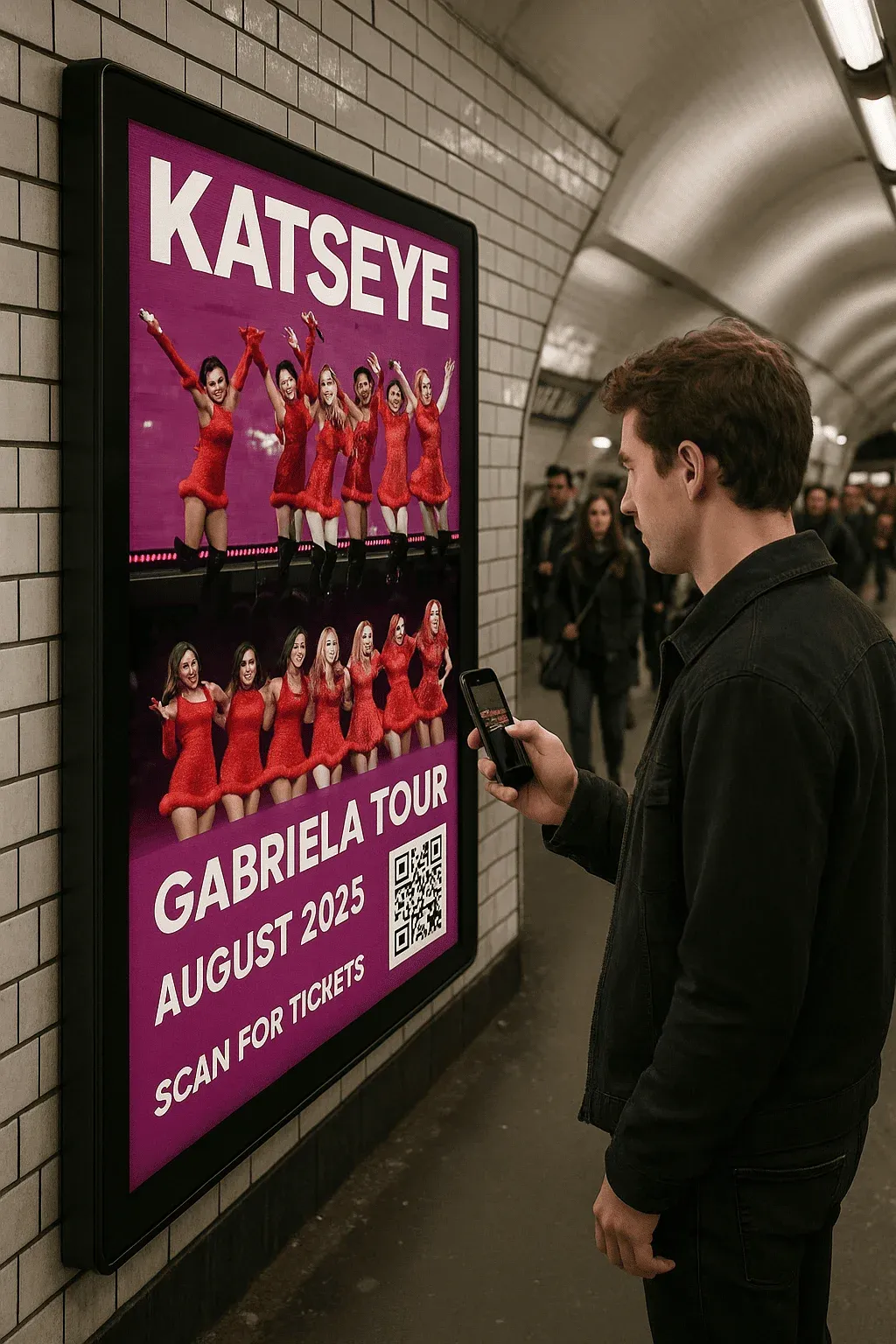
Deciphering tourist traps and defending against quishing
Published on September 1, 2026 Read time: 14 min
QR Code Quishing Cybersecurity Travel Protection Scams

7 vacation QR code scams and complete protection guide

Introduction

During peak holiday season, thousands of fraudulent QR codes appear on parking meters, restaurant menus, and tourist information boards. Their promise: quick and effortless access to local services. Their reality: malicious redirection to phishing portals designed to steal banking credentials or deliver spyware.

0%
Malicious Scans
0
Million Attacks
0%
Victims Impacted

Faced with this rapidly growing threat (+26% in 2024), understanding how QR codes were born, why they became ubiquitous, and how their technical strength became a prime attack vector is crucial for every traveler.

🔍 QR Code Anatomy

🔍
QR Code Architecture
Click to discover key structural components
Click to flip

🧭 Position Detection Patterns - Allow scanners to locate the code orientation

📏 Alignment Patterns - Correct surface curvature and perspective distortions

⏱️ Timing Patterns - Define module matrix size and grid spacing

📐 Quiet Zone - Essential white margin ensuring clear boundary isolation

Click to flip back
✅ Technical Strengths
  • Stores up to 7,089 alphanumeric characters
  • 360-degree omnidirectional reading capability
  • Decodable even with up to 30% physical surface damage
  • Robust Reed-Solomon mathematical error correction
⚠️ Exploited Vulnerabilities
  • Inability for humans to inspect destination URLs prior to scanning
  • Implicit visual trust placed in printed physical materials
  • Difficulty distinguishing authentic stickers from counterfeit overlays
  • Widespread use of URL shorteners obscuring deceptive landing pages

🚫 Scam #1: Hijacked Parking Meters

⚠️ Parking Overlays: A High-Yield Deception

Criminals place adhesive QR stickers over authentic parking payment consoles, redirecting drivers to clone payment portals.

Mechanism

How the Trap Works

When drivers scan the sticker to pay their parking fee, they land on a convincing fake portal. Credit card details are harvested immediately, and a parking ticket follows since no legitimate parking fee was ever paid.

✅ Protection

💳
Physical Payment
Use the physical chip or contactless payment terminal directly on the machine
📱
Official App
Use verified municipal parking apps (e.g. PayByPhone, EasyPark) directly
🔍
Physical Check
Inspect the surface: never scan a raised sticker pasted over the terminal

⏰ Scam #2: Counterfeit Restaurant Menus

🍽️ Table QR Code Swapping

In busy outdoor terraces, scammers replace table QR stickers with malicious versions that prompt customers to enter payment info for "contactless ordering".

✅ Tailored Solution

📋
Paper Menu
Request a traditional printed menu whenever in doubt
👨‍🍳
Staff Confirmation
Ask waitstaff to verify whether payments are handled via table QR codes
🛡️
URL Inspection
Check the browser address bar before interacting with digital ordering pages

🗃️ Scam #3: Malicious Audio Guides

🎧
Audio Guide Infiltration
How rogue codes target cultural and heritage sites
Click to reveal attack vectors

🏛️ Museums: Fake QR tags placed alongside exhibit plaques

🏰 Historic Castles: Redirection to malicious media download sites

🌳 National Parks: Silent installation of malicious APK profiles

Click to flip back

✅ Protection Strategy

📱
Official Site App
Download verified museum audio guides directly from authorized app stores
🔒
Mobile Security
Keep real-time malicious URL scanning enabled in mobile web browsers
⚠️
Public Wi-Fi Precaution
Avoid entering personal or financial details over unencrypted networks

⚡ Scam #4: Fake Promotional Offers

🎁 Irresistible Vacation Discounts

Posters on street corners advertise 70% discounts on local excursions or boat tours. Scanning prompts for credit card confirmation "to reserve your slot".

🚫 Underlying Dangers

These discount programs are entirely fictitious. Fraudsters harvest banking data and sell it across dark web marketplaces. Over 23% of vacation QR scams in 2024 leveraged this tactic.

✅ Positive Practices

❓
Source Verification
Confirm excursion validity with the local official tourism office
🔍
Domain Analysis
Reject obscure, newly created, or aggressively shortened web domains
💰
Verified Gateways
Never enter card numbers on unverified booking landing pages

👥 Scam #5: Trapped Wi-Fi Hotspots

📶 Rogue Hotspot Codes
QR codes placed in transit hubs, airports, and train stations
😫 Interception and eavesdropping of unencrypted traffic
📱 Execution Vector
Redirection to credential-stealing fake captive portals
⏰ Theft of email, social media, and banking credentials

✅ Solution

Universal Best Practices
  • Rely on your cellular 4G/5G mobile data whenever possible
  • Enforce an encrypted VPN tunnel whenever connecting to public networks
  • Double-check SSID names against official transit station signage
  • Disable automatic Wi-Fi joining on all mobile devices

🔐 Scam #6: Fake Heritage Site Portals

🏰
Monuments
Information Boards

🏛️ Fraudulent stickers pasted on historical markers redirect tourists to fake donation or ticket portals requesting card details.

🏞️
National Parks
Trail Navigation

🌲 QR codes on hiking trail maps are swapped with malicious links prompting trail app downloads carrying trojans.

✅ Protection

📲
Preload Apps
Download verified trail and monument apps before your visit
🔎
Surface Inspection
Ensure codes are engraved or factory-printed, not pasted stickers
🚫
When in Doubt
Never scan an ambiguous code in remote or unmonitored locations

💳 Scam #7: Diverted Merchant Payments

💸 Payment Routing Hijack

In outdoor markets and tourist boutiques, scammers paste counterfeit payment QR codes over checkout stands, diverting funds directly to criminal accounts.

📈 Statistical Overview
  • +45% increase in merchant QR diversion incidents in 2025 vs 2024
  • Average victim loss: €120 per compromised transaction
  • Only 28% of fraudulent QR transfer victims successfully recover funds

✅ Solution

👀
Merchant Verification
Ask the vendor to confirm the exact name displayed on the payment screen
💳
Physical Cards
Prioritize physical chip-and-PIN terminal payments at local markets
📱
Official Wallet
Use verified payment apps that display explicit merchant identity badges

🛡️ Complete Protection Guide

⚠️ Heightened Vigilance: Malicious QR Codes Are Increasingly Sophisticated

Here are 12 essential defense reflexes to eliminate scanning risks, based on security guidelines from international cybersecurity agencies.

👁️
1. Visual Inspection
Click for details
Inspect the QR code physically: it must be clean, factory-printed, and uniform. Beware of stickers pasted over existing signs.
🔗
2. Inspect Destination URL
Click for details
Always examine the full previewed URL before tapping to open it in your browser.
🛡️
3. Use Secure Scanners
Click for details
Use QR scanner apps with built-in malicious URL reputation filtering.
⚠️
4. Avoid Shortened URLs
Click for details
Be wary of bit.ly or tinyurl links in physical QR codes, as they conceal the real destination.
💳
5. Secure Payment Habits
Click for details
Never enter credit card information directly following an unexpected physical QR scan.
🔒
6. Enable 2FA Security
Click for details
Protect all critical accounts with two-factor authentication to neutralize harvested passwords.
🔄
7. Keep OS Updated
Click for details
Ensure your mobile operating system and browser receive the latest security patches.
📶
8. VPN on Public Wi-Fi
Click for details
Always encrypt your internet traffic when connecting to public holiday networks.
🚫
9. Refuse Unknown Profiles
Click for details
Never accept configuration profile or unknown APK installations prompted by a scan.
📢
10. Report Suspicious Codes
Click for details
Notify municipal staff or site managers when you discover altered or pasted stickers.
🏦
11. Monitor Bank Statements
Click for details
Check your payment cards regularly during vacation to catch unauthorized charges immediately.
🧠
12. Common Sense Priority
Click for details
When an offer looks too good to be true, step back and verify via primary sources.
📱
iOS
Built-in Protection

🔒 Enable "Fraudulent Website Warning" in Settings > Safari to automatically block known phishing sites.

🤖
Android
Google Play Protect

🛡️ Enable "Scan apps with Play Protect" in Settings > Security to block malicious downloads before execution.

🔤 Technical Glossary

Quishing
Click for definition
Phishing attack executed through deceptive QR codes leading to credential theft.
Static QR Code
Click for definition
QR code with permanent, hardcoded data that cannot be altered after printing.
Dynamic QR Code
Click for definition
QR code pointing to an intermediary server where destination URLs can be modified post-print.
Reed-Solomon
Click for definition
Advanced error correction algorithm enabling complete data recovery even on damaged codes.
Malware
Click for definition
Malicious software installed on a device without the user's explicit consent.

🧠 Knowledge Verification Quiz

Test your knowledge on vacation QR code security

1
Who invented the QR code?
Click for answer
Masahiro Hara at Denso Wave in 1994
2
What share of phishing attacks utilized QR codes in 2024?
Click for answer
10.8% according to Kaspersky telemetry
3
What is the primary reflex before opening a scanned code?
Click for answer
Inspect the displayed URL before tapping to open it
4
Which QR error correction level restores up to 30% damage?
Click for answer
Level H (High)
5
What should you do when spotting a suspicious pasted sticker?
Click for answer
Do not scan and notify local management or authorities
6
Which city removed 161 counterfeit parking stickers in 2024?
Click for answer
Nice, France

🏁 Conclusion: Travel in Total Safety

QR codes remain invaluable tools but demand ongoing vigilance

By adopting the security practices outlined in this guide, you can leverage the full convenience of QR codes without compromising your vacation:

  • ✅ Always verify the physical provenance of a code before scanning
  • ✅ Favor official applications for municipal and tourist services
  • ✅ Keep mobile devices updated with the latest security definitions
  • ✅ Report suspicious codes immediately to site authorities

When in doubt, remember this simple rule of thumb: look closely before you scan.

📚 Sources & References

🏛️
FTC Consumer Fraud

Official US Federal Trade Commission reporting portal and consumer guidance on quishing and deceptive QR scams.

reportfraud.ftc.gov →
🚨
FBI IC3 Reporting

Internet Crime Complaint Center threat intelligence and reporting system tracking criminal tampering with physical QR codes.

ic3.gov →
🛡️
NCSC UK Guidance

National Cyber Security Centre guidance for identifying credential harvesting campaigns and fraudulent visual vectors.

ncsc.gov.uk →
🇪🇺
Europol EC3 Guides

European Cybercrime Centre practical prevention resources covering travel fraud, electronic payment tampering, and cyber hygiene.

europol.europa.eu →
🔒
CISA Cyber Resources

Cybersecurity & Infrastructure Security Agency threat alerts and defensive guidelines against malicious link redirection.

cisa.gov →
🔍
Kaspersky Threat Hub

Detailed technical analysis of quishing methodologies, evasion of email filters, and mobile endpoint defense mechanisms.

kaspersky.com →
📱
DENSO WAVE Portal

Official specifications and technical documentation from the inventor of the QR code symbology and Reed-Solomon standards.

qrcode.com →
📖
QR Code Reference

Open technical compendium detailing barcode generation, matrix error correction levels, and documented attack surfaces.

wikipedia.org →

👥 Comments

Comment on this article