HDMI & DisplayPort on Laptop
📖 Introduction
You want to connect a 34" 21:9 ultrawide monitor (3440×1440) to a laptop without losing refresh rate, VRR or text quality (RGB vs YCbCr). This guide gives you a clear method, comparison tables, and the pitfalls to avoid.
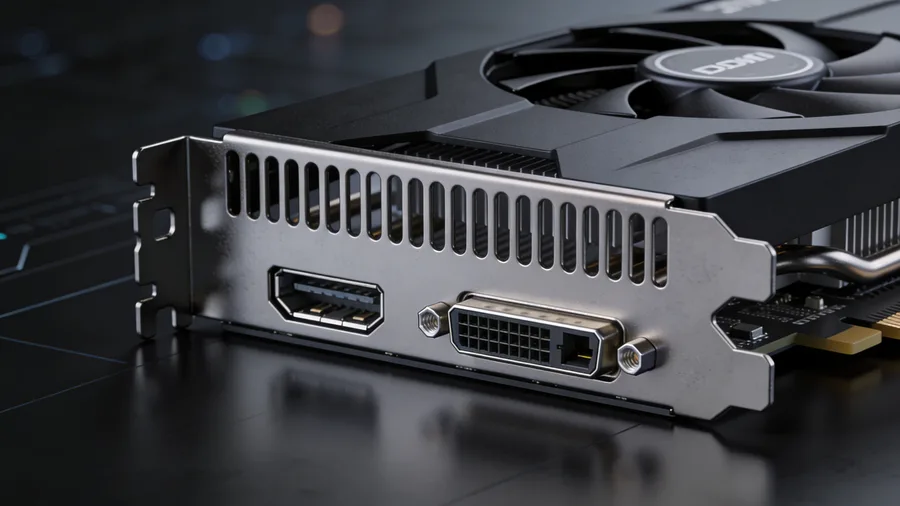
🔌 Video Standards: HDMI vs DisplayPort
| Standard | Raw Bandwidth | Key points |
|---|---|---|
| HDMI 2.0 | 18 Gbps | Very common on laptops, often limiting for UWQHD above 144Hz in RGB 4:4:4. |
| DisplayPort 1.4 | 32.4 Gbps | Excellent for UWQHD 144/165Hz, often via USB-C (DP Alt Mode). The reliable reference for this resolution. |
| HDMI 2.1 | Up to 48 Gbps | Excellent on paper, but beware of capped implementations on some laptops. Insufficient for 360Hz without DSC. |
| DisplayPort 2.1 (UHBR20) | 80 Gbps | Required for UWQHD 360Hz in RGB 4:4:4 without compression. Arriving on high-end monitors (CES 2026). Via USB4 v2.0 / Thunderbolt 5. |
| HDMI 2.2 ⚡ New | 96 Gbps | Specification announced CES 2025 — no consumer product available as of March 2026. Targets 8K, 10K and 4K@480Hz. |
📊 Bandwidth Comparison
Animated bars: values normalized to full HDMI 2.1 (48 Gbps = 100%).
* HDMI 2.2: official specification (CES 2025, 96 Gbps). No consumer GPU or monitor supports HDMI 2.2 as of March 2026.
🖥️ UWQHD 3440×1440 Compatibility by Hz
In practice, the limit also depends on color mode (RGB vs YCbCr), bit depth (8/10 bits), and DSC. This table serves as a quick reference.
| Mode UWQHD | HDMI 2.0 | DP 1.4 | HDMI 2.1 | Remarks |
|---|---|---|---|---|
| 3440×1440 @ 60 Hz | ✅ OK | ✅ OK | ✅ OK | Comfortable everywhere. |
| 3440×1440 @ 100 Hz | ✅ OK | ✅ OK | ✅ OK | OK with clean cable/EDID. |
| 3440×1440 @ 144 Hz | ⚠️ Limit | ✅ OK | ✅ OK | HDMI 2.0 may force YCbCr depending on GPU/monitor. |
| 3440×1440 @ 165 Hz | ❌ | ✅ OK | ✅ OK | DP 1.4 is often the "safe" choice via USB‑C. |
| 3440×1440 @ 240 Hz | ❌ | ⚠️ DSC | ✅ OK | If monitor/GPU support DSC. |
| 3440×1440 @ 360 Hz CES 2026 | ❌ | ❌ DSC mandatory | ⚠️ DSC required (~53 Gbps > 48 Gbps) | ✅ DP 2.1 UHBR20 = only standard without compression. Monitors: ASUS ROG PG34WCDN, Gigabyte MO34WQC36. |
⚠️ The Trap: Capped HDMI 2.1 on Gaming Laptops
A laptop may advertise "HDMI 2.1" but have lower capabilities than the full implementation. The only reliable method: check the manufacturer's spec sheet (PSREF/specs) and test the actual modes available.
| Model (examples) | Advertised output | Practical tip |
|---|---|---|
| Lenovo Legion 5 (depending on PSREF) | HDMI 2.1 (up to 8K@60Hz mentioned) | For high‑Hz UWQHD: prefer USB‑C → DP 1.4 when available. |
| ASUS ROG Zephyrus G14/G16 | HDMI 2.1 + USB‑C/DP | For VRR/crisp text: DP (USB‑C → DP) is often more predictable. |
| MSI Raider (depending on revision) | HDMI 2.1 | Check the actual frequencies offered at 3440×1440 in Windows/Linux. |
| MacBook Pro Apple Silicon | HDMI + Thunderbolt (DP over USB‑C) | Often excellent in HDMI, but TB→DP is a solid alternative. |
| Dell XPS (USB‑C/Thunderbolt) | USB‑C (DP Alt Mode) | Use a quality USB‑C → DP 1.4 cable/adapter (active if necessary). |
⚡ 2025 New Standards: HDMI 2.2 & DisplayPort 2.1b
The standards below are official and verified, but no consumer product (GPU, laptop, monitor) supports HDMI 2.2 as of March 2026. DP 2.1b and DP80LL cables are gradually arriving on high-end monitors.
| Standard | Announced | Bandwidth | Key benefit | Product availability |
|---|---|---|---|---|
| HDMI 2.2 | CES 2025 (Jan. 2025) | 96 Gbps (Ultra96 cable) | 8K, 10K, 4K@480 Hz | ⛔ Not yet |
| DP 2.1b + DP80LL cables | CES 2025 (Jan. 2025, VESA) | 80 Gbps (active up to 3 m) | 3× longer active cables than passive; NVIDIA RTX 50 collaboration | ⚠️ High-end monitors 2026 |
| DisplayPort 2.1 UHBR20 | 2022 (VESA) | 80 Gbps | 360Hz UWQHD without compression; essential for CES 2026 monitors | ⚠️ First monitors 2026 (ASUS, Gigabyte) |
🔌 USB4 v2.0 vs Thunderbolt 5 — Key Distinction
USB4 v2.0 (specification published by USB-IF in October 2022) offers up to 80 Gbps (or 120 Gbps in asymmetric mode) and natively carries DisplayPort 2.1. The first compatible laptops and docks appeared in late 2024/2025. Thunderbolt 5 (Intel) is a certified superset, based on USB4 v2.0 but with stricter minimum requirements (guaranteed 80 Gbps, 120 Gbps asymmetric, mandatory built-in DisplayPort 2.1 UHBR20). Do not confuse the two.
| Interface | Max BW | Built-in DP 2.1 | Certification | Note |
|---|---|---|---|---|
| USB4 v2.0 | 80 Gbps / 120 Gbps asymmetric | ⚠️ Optional | USB-IF (spec Oct. 2022) | Features vary by manufacturer implementation |
| Thunderbolt 5 | 80 Gbps / 120 Gbps asymmetric | ✅ Mandatory (UHBR20) | Intel (certified) | Superset of USB4 v2.0, guarantees DP 2.1 UHBR20 and 40W+ charging |
To drive a 360Hz UWQHD monitor via USB-C, prefer a Thunderbolt 5 port (guarantees DP 2.1 UHBR20) over plain USB4 v2.0, whose video capabilities vary by manufacturer.
🖥️ UWQHD 360Hz Monitors — CES 2026
Several manufacturers unveiled 34" 3440×1440 monitors at 360Hz at CES January 2026. This refresh rate requires ~53.5 Gbps in RGB 4:4:4 10-bit — only DisplayPort 2.1 UHBR20 (80 Gbps) achieves this without compression.
| Model | Panel | Main connectivity | Highlights |
|---|---|---|---|
| ASUS ROG Swift OLED PG34WCDN | 5th-gen QD-OLED (V‑stripe RGB) | ✅ DP 2.1a UHBR20 (80 Gbps) + HDMI 2.1 + USB‑C 90W | BlackShield anti‑glare film; G‑Sync + FreeSync Premium Pro; 360Hz without DSC confirmed |
| Gigabyte MO34WQC36 | 5th-gen QD-OLED (V‑stripe) | ⚠️ DP 2.1 "full bandwidth" (UHBR20 probable, not officially confirmed) + HDMI 2.1 | ObsidianShield coating; HDR True Black 500; deeper blacks |
| Acer Predator X34 F3 | QD-OLED (Samsung) | ⚠️ DP 1.4 + HDMI 2.1 + USB‑C 65W | 360Hz via mandatory DSC; built-in KVM; ~$1,199. Good option if your PC lacks DP 2.1 |
3440 × 1440 × 360Hz × 30 bits (10 bits/RGB channel) ≈ 53.5 Gbps payload. HDMI 2.1 (48 Gbps raw) is insufficient without DSC. DP 1.4 (32.4 Gbps) requires mandatory DSC. Only DP 2.1 UHBR20 (77 Gbps usable of 80 Gbps raw) passes without compression.
🪟 Windows 11 — Setup, Force RGB, VRR
If text is blurry (especially on ultrawide), it's often an automatic switch to YCbCr 4:2:0/4:2:2. On NVIDIA, look for "Output color format: RGB" and "Dynamic range: Full".
🍎 macOS — Apple Silicon, BetterDisplay, constraints
On macOS, HiDPI scaling and color mode management can differ from Windows. BetterDisplay is often used to regain control over resolutions/HiDPI and text rendering.
On some monitors, the "native resolution" option may make the UI too small; prefer a "looks like" (HiDPI) resolution that maintains comfort without sacrificing sharpness.
🐧 Linux — Wayland vs X11
| Stack | VRR | Multi‑Hz | Remark |
|---|---|---|---|
| KDE Plasma 6 + Wayland | ✅ | ✅ | Very good combo for ultrawide, especially AMD. |
| GNOME (Wayland) | ⚠️ | ✅ | Depends on version/compositor, check for "variable refresh rate" option. |
| Sway (wlroots) | ✅ | ✅ | Very stable, but more manual configuration. |
| X11 / Xorg | ⚠️ | ⚠️ | Maximum compatibility, but VRR/multi‑Hz management less clean. |
Useful commands (X11)
On openSUSE Tumbleweed (KDE/Wayland) with amdgpu, UWQHD + VRR experience is generally excellent, provided you have a certified cable and stable DP/HDMI chain.
🔗 Cables & adapters (active vs passive)
| Solution | When to prefer | Risk |
|---|---|---|
| Ultra High Speed HDMI (certified) | You need HDMI 2.1 (4K120/high Hz) on monitors up to 240Hz UWQHD | Fake "2.1" uncertified cables — check for the UHSF logo on the cable. |
| USB‑C to DisplayPort 1.4 cable | You have USB‑C DP Alt Mode / TB4, UWQHD up to 165Hz | Some cheap cables cap at HBR2 instead of HBR3. Use a VESA-certified cable. |
| Passive USB‑C to HDMI adapter | You only need 60–100Hz | Often limited to HDMI 2.0 (18 Gbps). |
| Active USB‑C to HDMI 2.1 adapter | You must use HDMI but need high Hz (144–165Hz UWQHD) | Variable firmware/compatibility; expensive (€30–80). |
| Active DP80LL cable New 2025 | You have DP 2.1 UHBR20 and the monitor is more than 1m from the PC | Active cable (announced VESA/CES 2025): maintains 80 Gbps up to 3m — vs ~1m max for passive. |
| USB4 v2.0 / Thunderbolt 5 cable Future | Laptop with TB5 / USB4 v2.0 port + DP 2.1 UHBR20 monitor (360Hz) | Single USB‑C cable for 80 Gbps video + data + charging. Verify 80 Gbps certification on the cable. |
👥 Comments
Comment on this article